Components
Astro handles components as .astro files, which are a blend of HTML, JavaScript, and CSS. You can create reusable components to keep your code organized and maintainable. (Go do some research to learn more).
In short, this project has a variety of components that are used across the website, and are created with a few core principles in mind.
- Zero client-side JavaScript (unless necessary) - All code within
---fences are server-side and will not be sent to the client. This helps with performance. - Reusability - If you find yourself copy-pasting code, it’s probably a good idea to make a component out of it. This makes it easier to maintain and update in the future.
- Modularity - Components should be able to take parameters (props) where applicable to make them flexible and adaptable to different use cases.
Layouts
Section titled “Layouts”Currently there are a few layouts within the project. These have been set up in a mostly nested way to ensure consistency across the website.
-
RootLayout Contains absolute bare-basic HTML structure and is used across the entire website. It includes things like the
<html>,<head>, and<body>tags, as well as some global styles and scripts. All pages are wrapped in this layout. -
GenericLayout contains some basic styling and structure that is shared across most pages, such as the header and footer. It is used for most pages on the website.
Other layouts are page-specific but are not always necessary. They can be useful for future-proofing pages that may need extra features, and they act as a good place to put cache-related control headers for pages that require them.
OptimisedImage
Section titled “OptimisedImage”This component is basically a wrapper based on Unpic’s Astro Image component, which provides some optimizations for images.
The component accepts an src prop, and processes appropriately. Externally accessible images (as in, images that can be viewed via a URL) are altered to be served via wsrv, which provides modifications and caching. Local images are handled differently.
With our end-users in mind, Low Quality Image Placeholders (LQIP) are generated for all images, which provides a blurry preview while the full image is loading. This is done to improve perceived performance and user experience. Currently, this is handled via wrsrv, but should be replaced with blurhashes in future for better performance.
OptimisedImage props are similar to Astro’s Image component and are as follows:
const { src, alt = "", width, height, class: className = "", // For any extra styling needed. Optional. priority = false, // This is basically a toggle for lazy-loading. Optional.} = Astro.props;This should realistically be used for all images across the website.
ListingCarousel
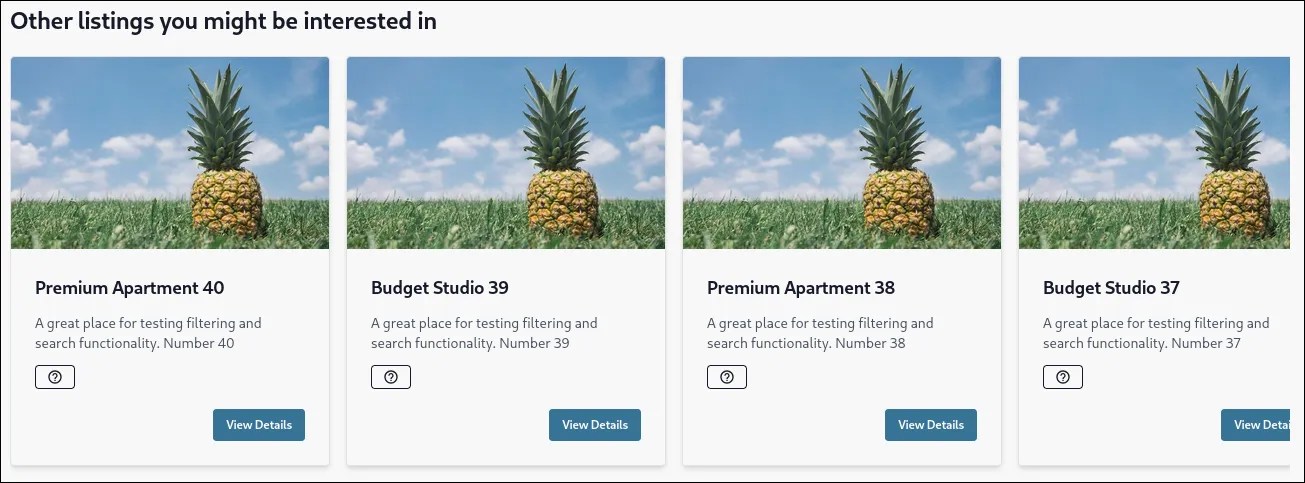
Section titled “ListingCarousel”The ListingCarousel component displays a set of listings in a horizontally scrollable carousel format. It accepts the following props:
const { listingsCount = 5, collection = "providing-listings", locale = "bn",} = Astro.props;These are quite self-explanatory.
Sample
Section titled “Sample”